


2.15.0 — Gateway API and updates with Cluster Manager
In short, 2.15.0 makes the platform easier to install and operate day to day. The architecture now has fewer separate components, and cluster updates follow a strategy you choose:
- Cluster updates: Cluster Manager manages updates, and clusters use the selected
InPlaceorRollingUpdatestrategy without unnecessary workload moves. - Traffic and storage: Gateway API handles incoming HTTP traffic in the management cluster, and Ceph CSI is delivered as a unified operator.
- Workloads, GUI, and backups: the GUI now supports VPA, advanced HPA settings, affinity rules, workload restart, and rollback.
- Nodes, access, and security: Vault certificate issuance can be configured during cluster creation, and VEX documents let you exclude marked vulnerabilities from image analysis reports.
- GPU: new instructions cover Kubeflow scenarios and node preparation with GPU Operator.
- Documentation: generators help prepare YAML, and documentation feedback can be sent for a selected text excerpt.
- Installation and infrastructure: the platform can be installed with the Yandex Cloud in experimental mode provider,
shtilruns on a regular laptop and provides better installation diagnostics, and images are now 30% smaller. - Platform components: Kubernetes and key services were updated.
For the complete list of changes, see the 2.15.0 release notes.
Cluster updates
Cluster Manager now performs cluster updates. Set the target version in ClusterConfig; the separate shturval-update module is no longer used.
Two node update strategies have been added:
InPlaceupdates Kubernetes on the existing nodes without recreating them;RollingUpdatereplaces nodes one by one, using the VM template for the target version fromInfrastructureProvider.
A management cluster below version 2.15 is updated only with the default InPlace strategy. Client clusters can use another strategy if the platform is already updated to 2.15. RollingUpdate is unavailable for clusters on the Shturval v2 provider, including hybrid clusters. If the cluster has RawFile volumes, an update with this strategy does not finish either. For details, see Cluster update strategies. You can choose the scenario that fits the workload and the acceptable downtime. The number of application workload moves during an update is reduced to one.
Traffic and storage
After the management cluster is updated, Gateway API handles incoming traffic, while shturval-ingress-controller is installed in absent mode. The platform moves to Cilium 1.20 and Gateway API 1.6.1: application routing becomes part of a sidecarless service mesh, with L7 control through standard Gateway API resources and without a separate proxy in every pod.
Client clusters still offer a choice of traffic routing: NGINX Ingress Controller or Gateway API. HTTPRoute and GRPCRoute resources are now also displayed on the namespace dashboard. For details, see Gateway API.
Ceph CSI is now delivered through the unified shturval-ceph-csi operator. The separate shturval-ceph-cephfs and shturval-ceph-rbd services are no longer delivered. If they are installed, the platform automatically migrates them to the new operator during the update to 2.15.0.
Workloads, GUI, and backups
Deployment and StatefulSet resources now support vertical autoscaling. For HPA, you can configure how quickly the number of replicas changes and the delay between scaling operations. Node Affinity, Pod Affinity, and Pod Anti-Affinity are available in the pod template.
Screenshots of VPA and HPA autoscaling
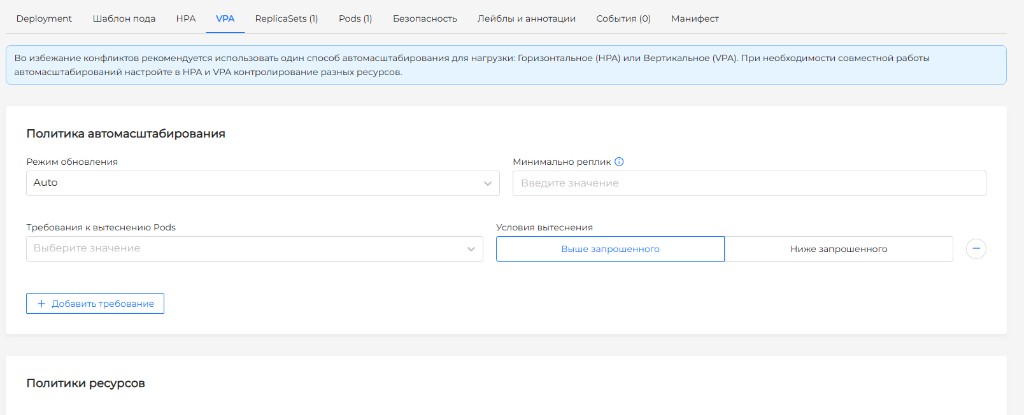
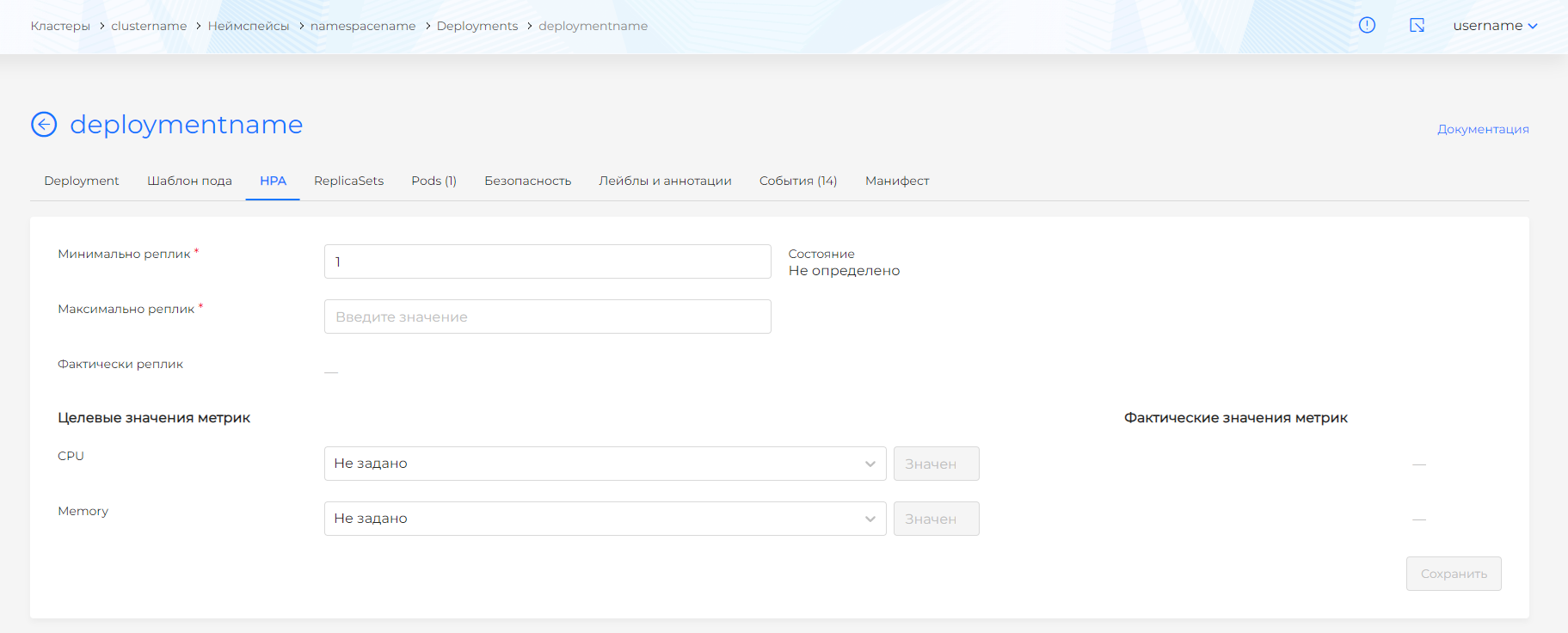
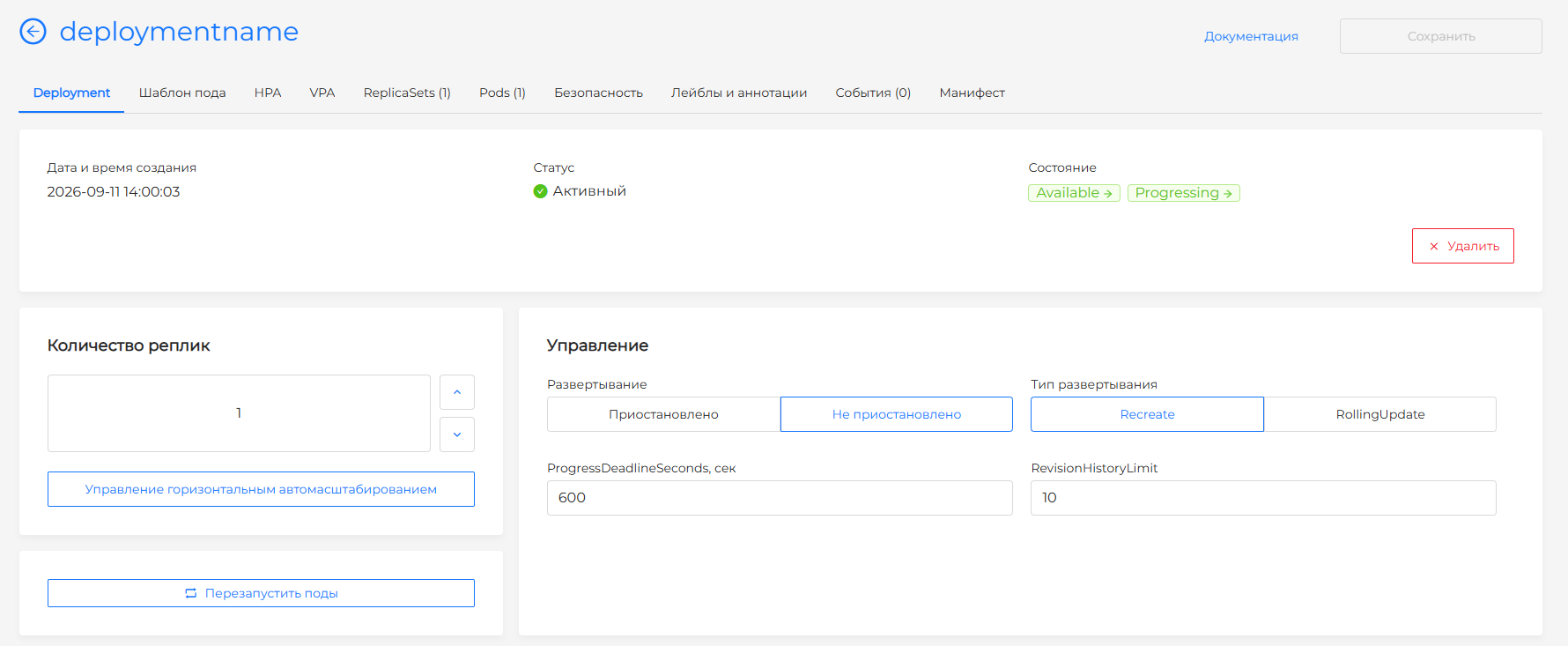
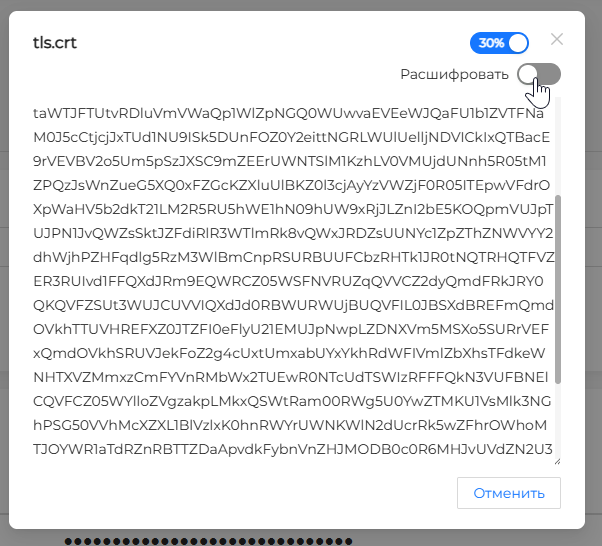
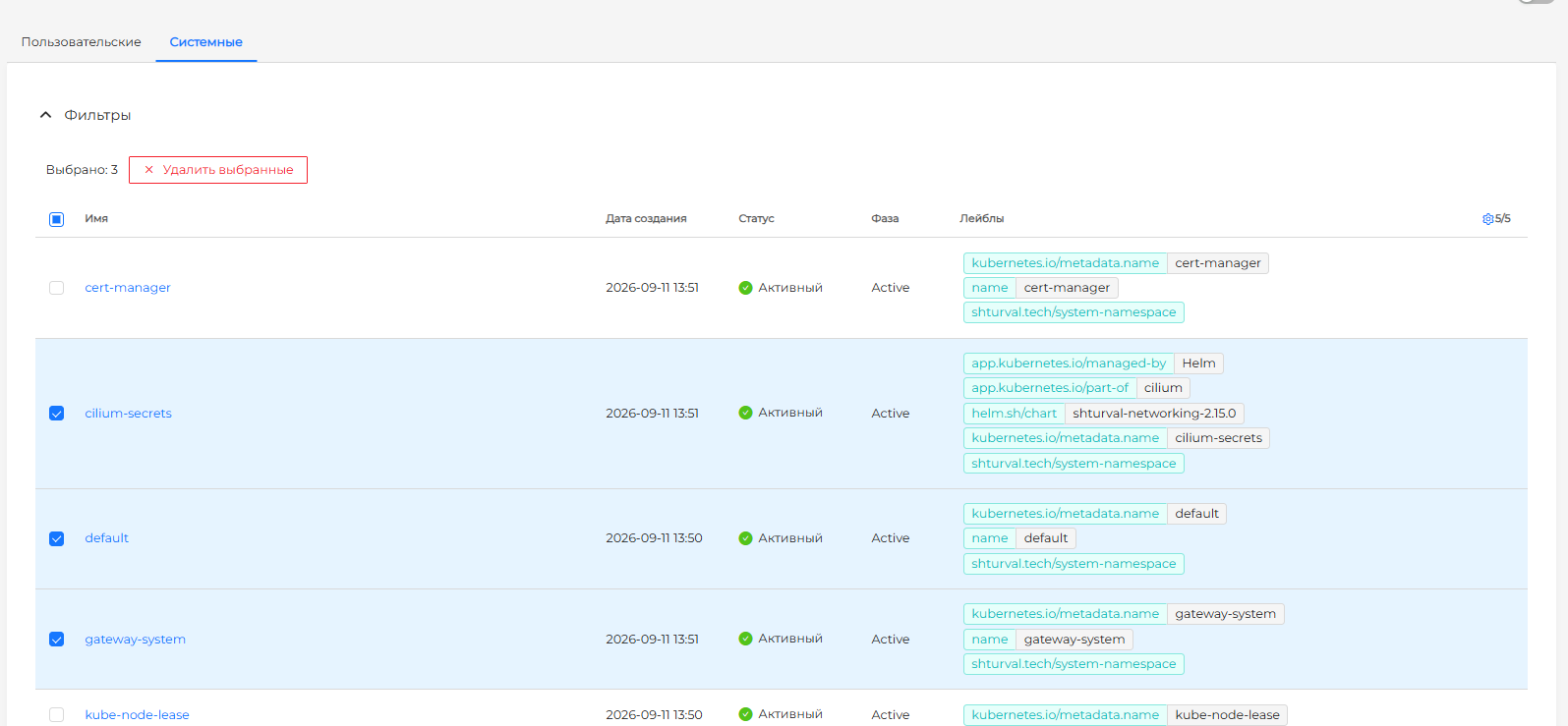
You can run rollout restart for Deployment, StatefulSet, and DaemonSet resources, or return them to the previous revision with rollout undo, directly in the GUI. For a kubernetes.io/tls Secret, you can view the certificate and key. You can also delete platform, cluster, and namespace objects as a group.
Screenshots of restart, the certificate, and bulk deletion
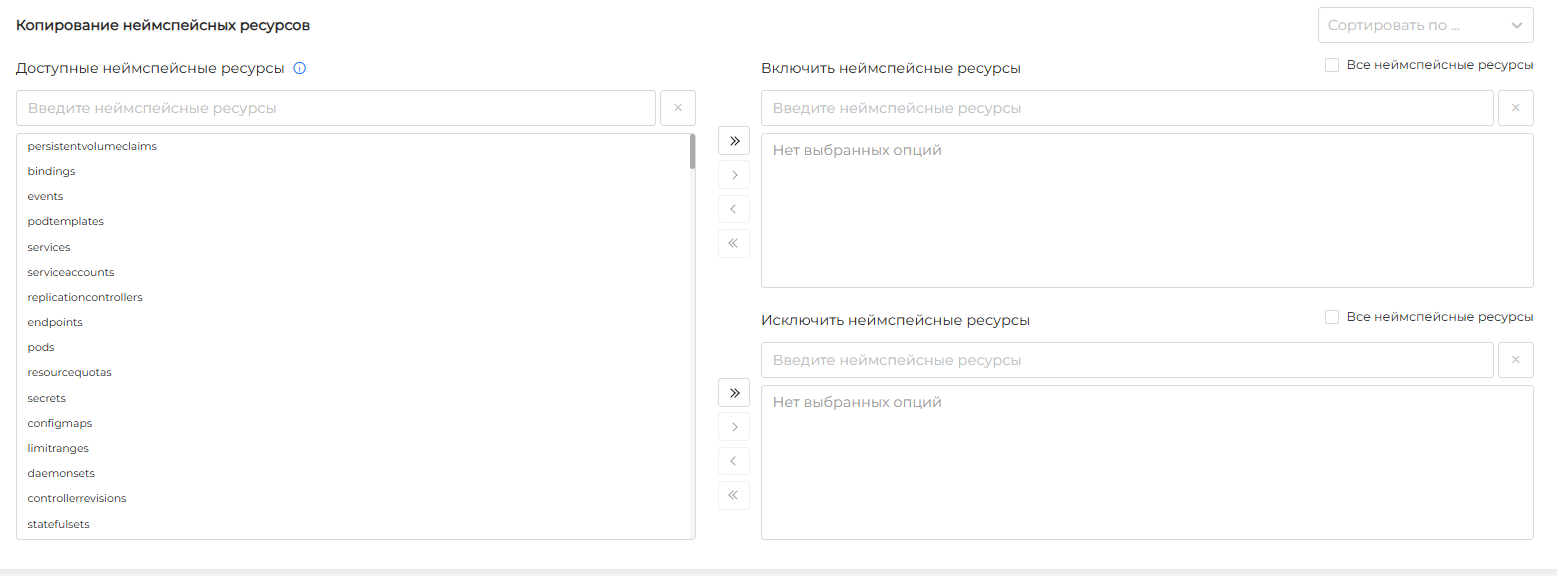
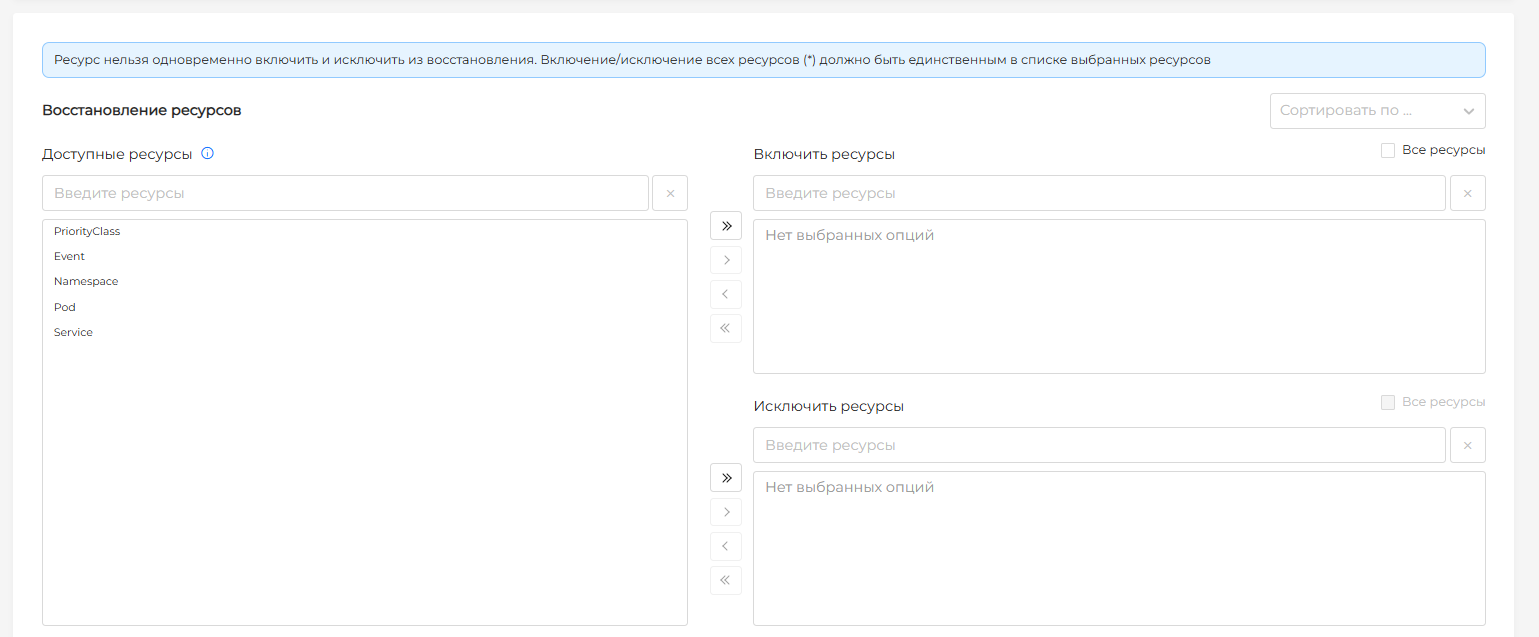
The Velero GUI now makes it easier to control backup contents. For an on-demand backup or a schedule, you can specify included and excluded resources or select all resources at once. During restore, you can select individual objects instead of performing only a full restore. This makes backup work much more convenient during incidents.
Backup screenshots
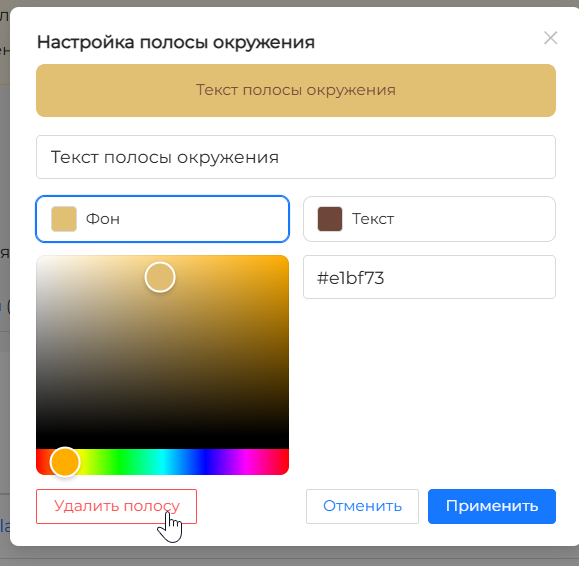
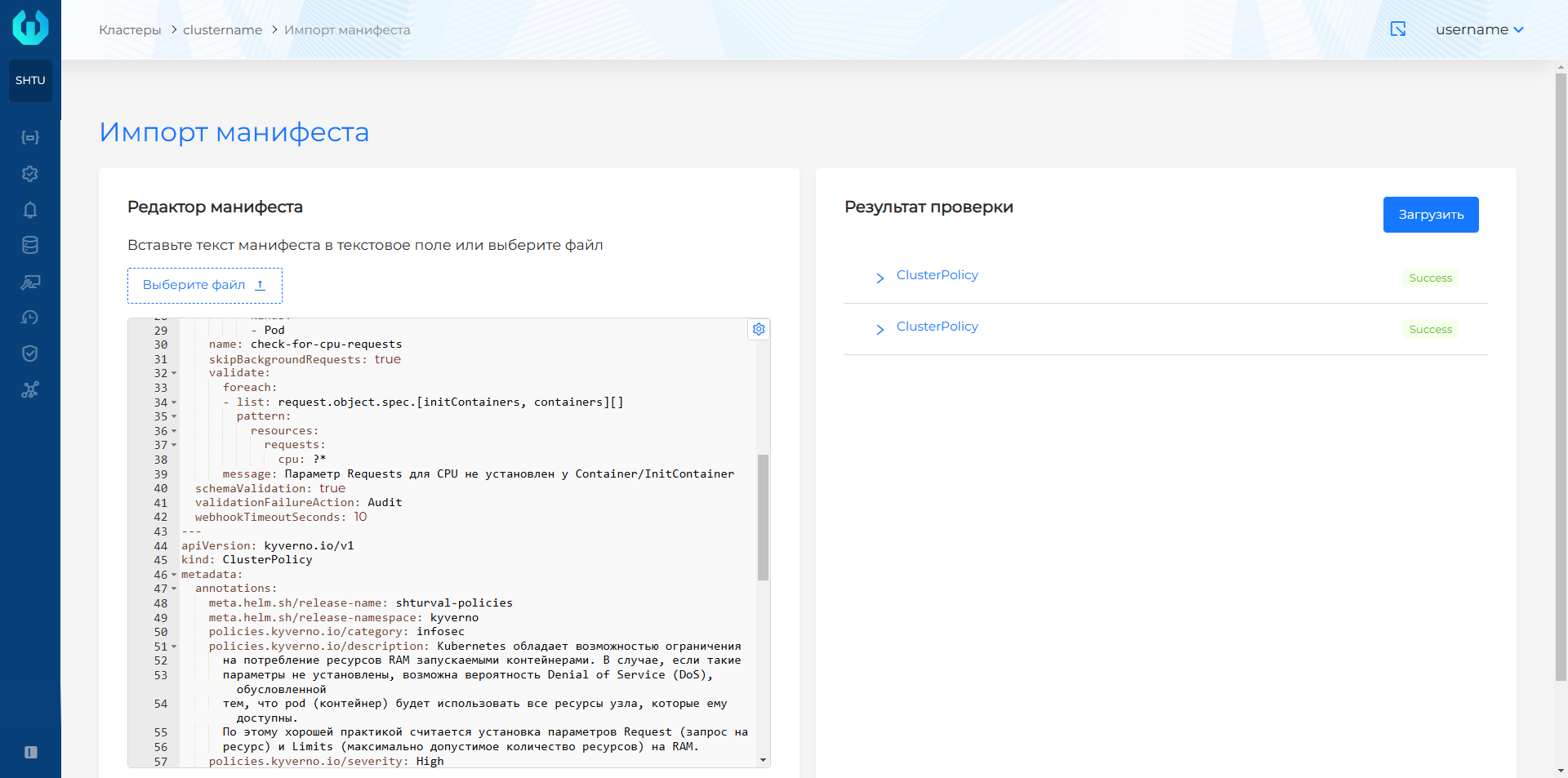
Other helpful GUI improvements include configuring the environment indicator without editing cluster annotations, selecting multiple files when importing manifests, and displaying licenses valid for more than 15 years as perpetual.
Screenshots of the environment bar and manifest import
Nodes, access, and security
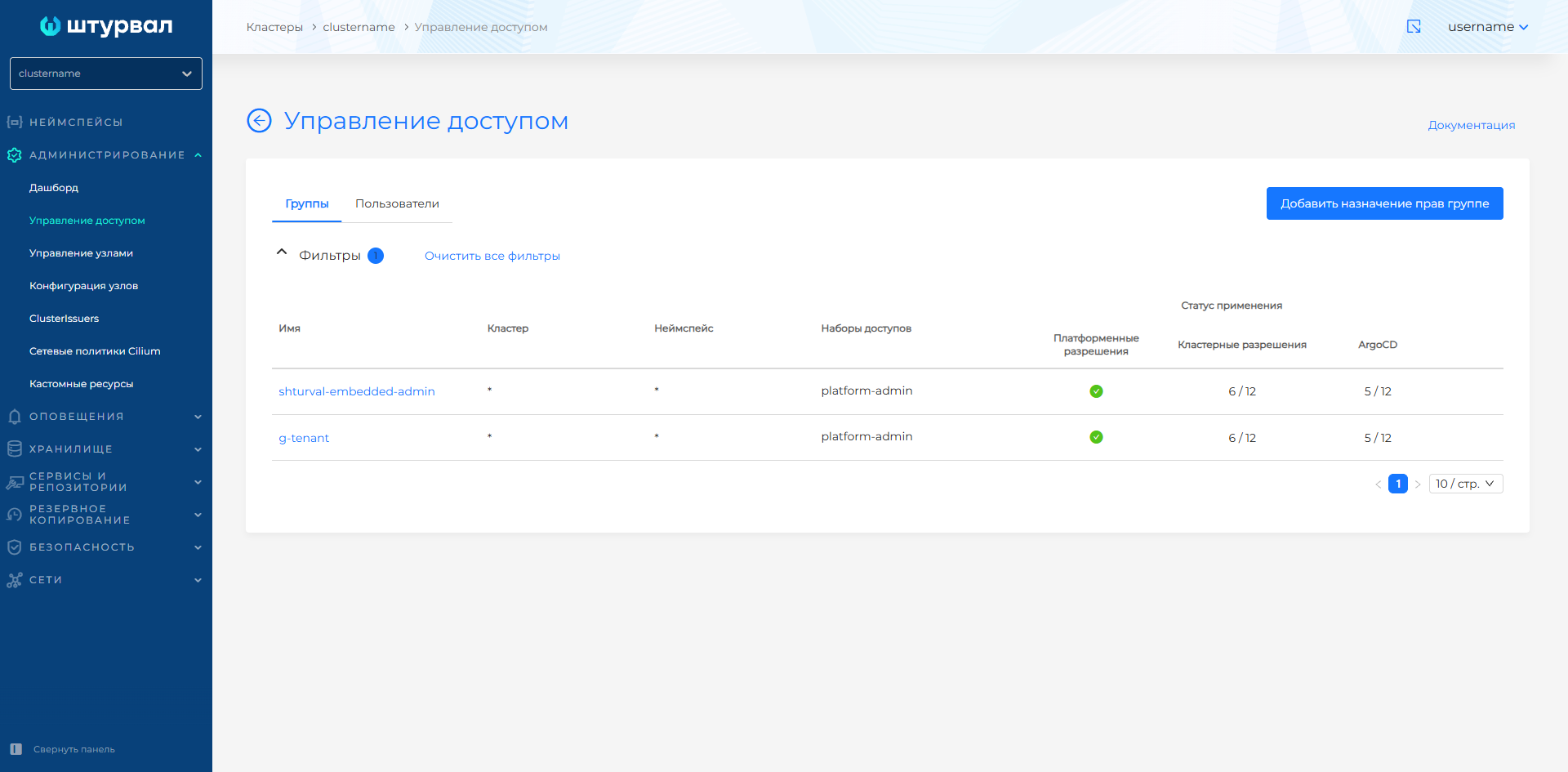
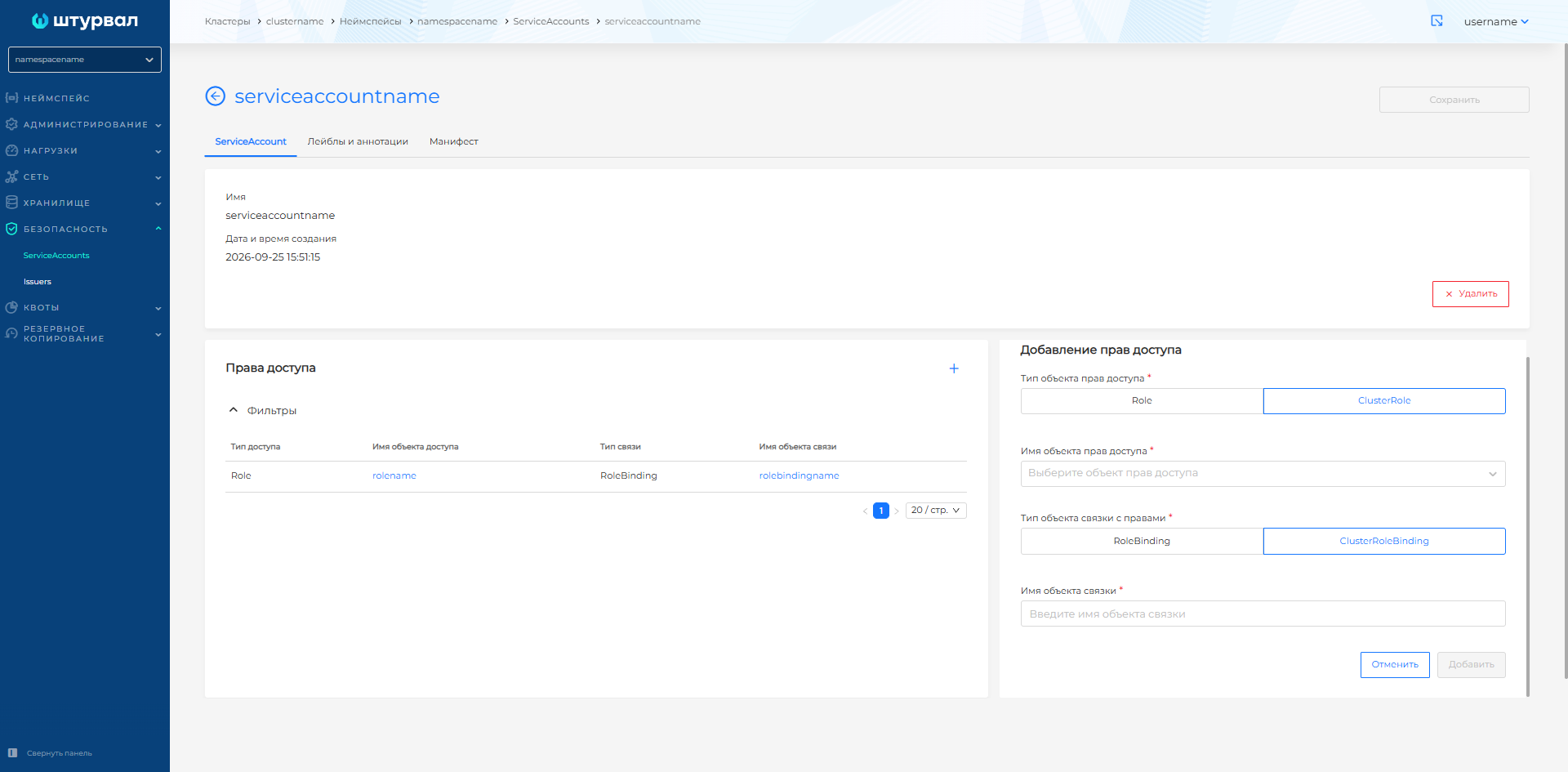
Assigned permissions are now displayed hierarchically, from tenants to namespaces, separately for groups and users. On the ServiceAccount page, you can assign Role and ClusterRole resources together with the corresponding RoleBinding and ClusterRoleBinding resources.
Access management screenshots
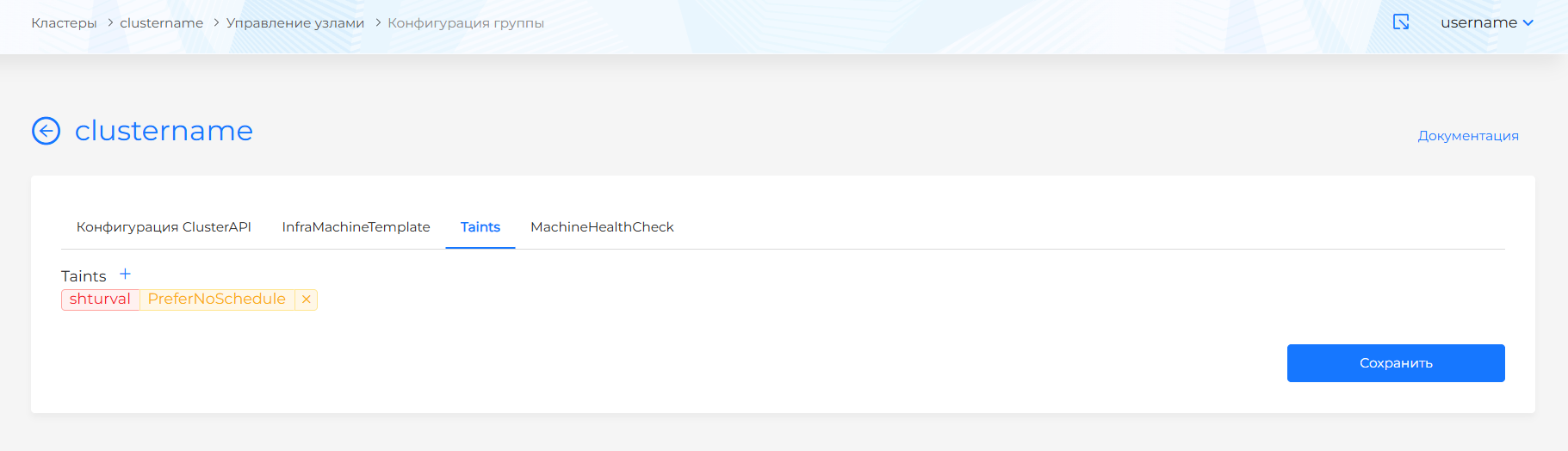
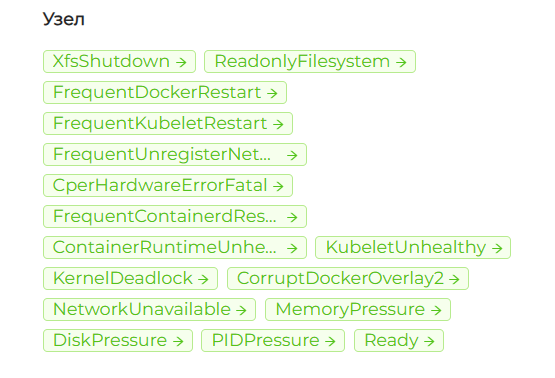
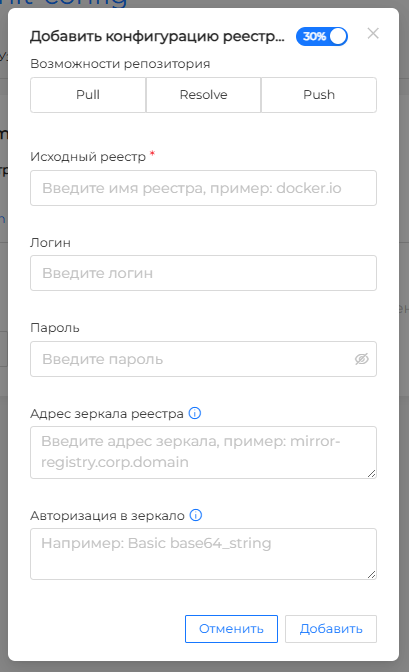
You can set Taints once for all nodes in a Worker group instead of assigning them to each node separately. shturval-npd detects node problems, while the Container Runtime settings let you connect a private registry.
Screenshots of Taints, node monitors, and a private registry
A cluster can now be deployed with Vault certificates and token-based access to the server. cert-manager then automatically issues and renews TLS certificates from the corporate store.
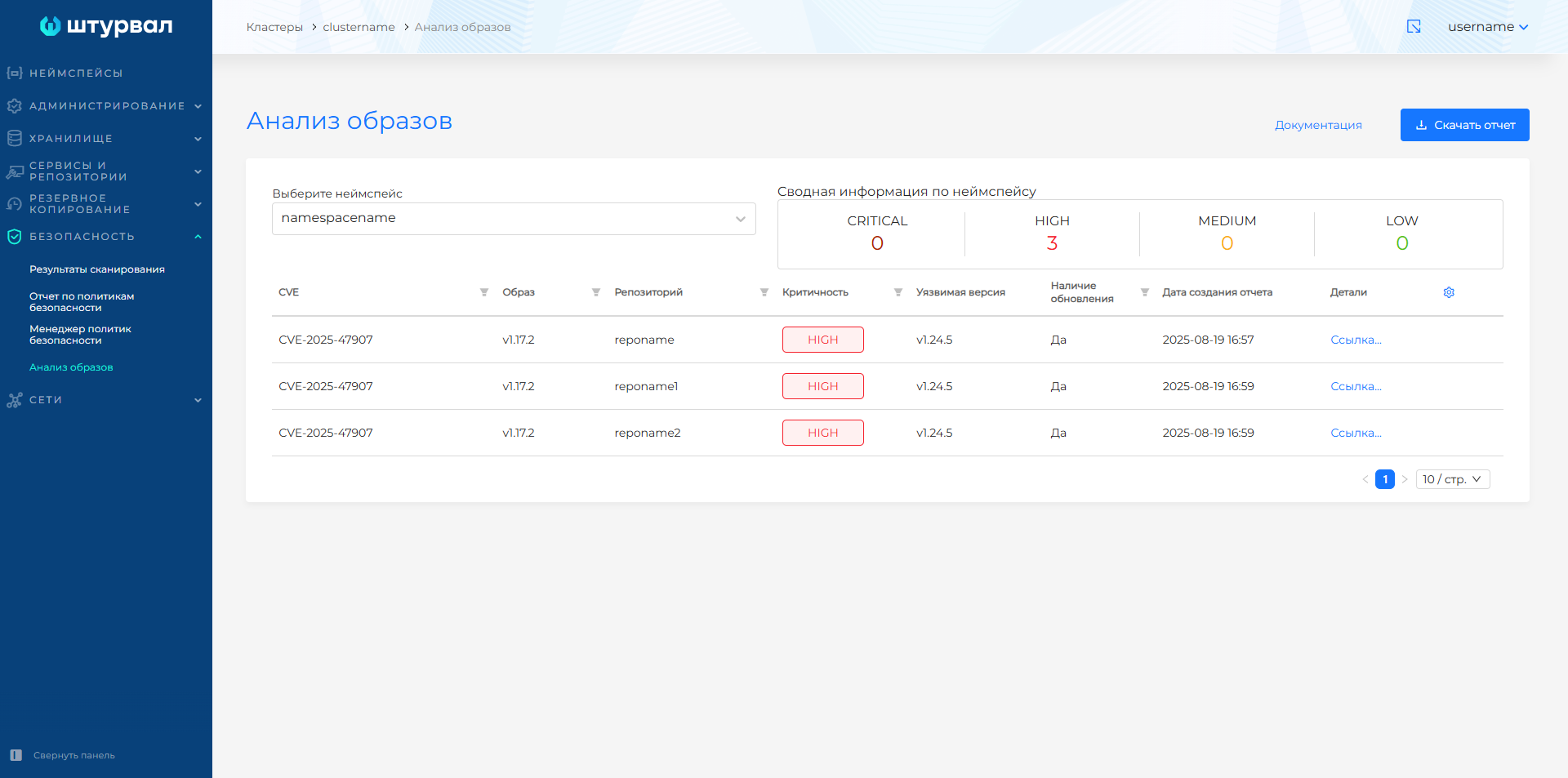
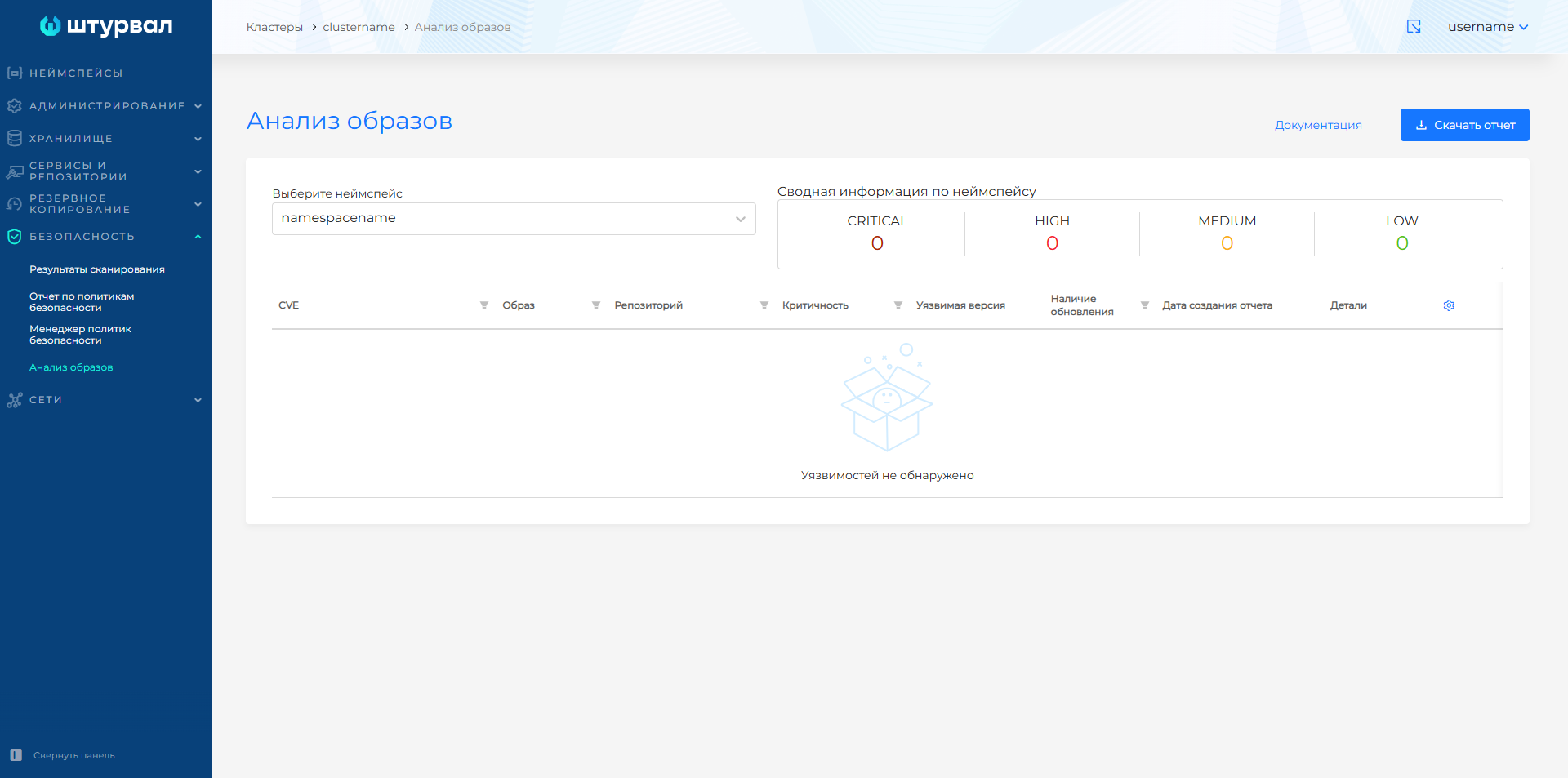
Delivery of vulnerability markup and VEX support let you connect a document repository to the scanner and exclude marked vulnerabilities from reports, which helps prioritize CVE work.
Screenshots of image analysis before and after connecting VEX
Installation and infrastructure
shtil now runs on a minimal configuration: 2 vCPU, 3 GiB of RAM, and 3 GiB of disk. Preparing the management cluster installation takes about 2 minutes. CLI installation is also easier to diagnose: every installation step is written to the log in detail. After a successful installation with install-cli, bootstrap cluster deletion starts automatically.
The restriction that allowed installation only from the supported operating system list has been removed. The platform can now be deployed without an installation block on operating systems outside the official tested list. Tested versions and the other requirements are listed separately for open-circuit and closed-circuit installations.
The InfrastructureProvider resource stores provider instance data, including VM templates and their Kubernetes versions. You can associate multiple templates with one Kubernetes version and select a template when creating a cluster. For predictable RollingUpdate behavior, keep only one template for the target version: if there are several, the platform selects the first one alphabetically.
For clusters on oVirt and similar providers, disk cloning can be configured separately for the Control Plane and Worker groups, both during cluster creation and in a running cluster. Cloning is useful when new VM disks must be placed in a Storage Domain other than the VM template domain. Existing VMs are not affected. For details, see oVirt disk cloning.
When creating a cluster with CSI, you can choose whether to delete PVs together with the cluster. By default, external disks remain in the infrastructure. This setting is available for oVirt and compatible virtualization platforms, VMware vSphere, OpenStack, VK Cloud, Selectel, VMware vCloud Director, and Yandex Cloud.
In 2.15.0, the platform can be deployed in Yandex Cloud in experimental mode. shturval-capy creates the nodes, while shturval-capy-csi attaches disks. The service account requires the compute.editor and alb.editor roles for nodes, plus k8s.clusters.agent for CSI.
In the Shturval v2 provider instance GUI, you can now specify the sudo password and the version that stc uses to prepare the host before adding it to a cluster. The final readiness status appears only after the platform checks SSH access, sudo permissions, node components, host availability, and the uniqueness of /etc/machine-id.
The deployment dashboard is now interactive: completed stages collapse, while stages still in progress remain on the screen with detailed data. For details, see Deployment status.
Platform components. Kubernetes and Shturval services
The following key components were updated in this release:
- Kubernetes 1.36.5
- Cilium CNI 1.20.4
- Cluster API 1.13.7
- VictoriaMetrics Cluster 1.148.0
- VictoriaMetrics Agent 1.148.0
- Grafana Dashboards 12.3.9
- Vector 0.57.0
- Trivy 0.71.1
- Argo CD 3.3.12
- Cert-manager 1.20.3
- Trust Manager 0.24.0
- Gateway API CRDs 1.6.1
For the complete list of charts and versions, see Shturval repository services.
The upgrade considerations for 2.14, including Ceph CSI migration, are listed in the 2.15.0 release notes.
GPU
A connected set of instructions is now available for ML and GPU workloads, from node preparation and GPU Operator installation to running Kubeflow. The ML scenarios section guides an administrator through the whole process. These pages are currently available in Russian:
- ML in Shturval overview explains the solution components and workflow;
- Kubeflow installation covers OIDC configuration, installation, and verification;
- GPU preparation describes GPU Operator, NVIDIA drivers, and Fabric Manager;
- Kubeflow profiles help create team workspaces;
- external access to KServe explains how to invoke models from outside the cluster;
- troubleshooting helps diagnose Kubeflow and NVIDIA component issues.
Documentation
The new generators let you quickly assemble the required YAML configuration directly in the documentation and apply it in your cluster:
- the backup manifest generator creates a Velero
BackuporSchedulefor the management cluster; - the installation generators create provider and cluster manifests for
shtil install-cli: oVirt, VMware vSphere, OpenStack, Shturval v2, and Yandex Cloud Added in experimental mode; - the
shturval-npdpage provides a generator for node monitor settings.
You can now send feedback to report an error, ask a question, or suggest expanding a description where the documentation needs more detail. Select a text excerpt on the page, click the question icon, and choose Request clarification or Report inaccuracy. You can add a comment: the report includes the page URL and the selected excerpt. For more information, see If you find an error.
Fixed issues
The release fixes shtil issues with rootless Podman on ALT Server 10, Astra Linux, and Debian 11, as well as cluster deletion when the provider is unavailable. Cluster objects no longer remain in the system after a failed installation.
For the complete list, see the 2.15.0 release notes.