


Mutual authentication between services (mTLS)
Service-to-service mTLS with SPIRE as part of shturval-networking.
Introduction
Mutual authentication lets Cilium verify the identity of both sides of a connection before it forwards traffic between pods. The check uses SPIRE (SPIFFE Runtime Environment):
- SPIRE Server holds the trust root and issues identities to workloads;
- SPIRE Agent runs on each node and confirms information about the pods running on that node;
- after attestation, the workload receives an X.509-SVID, a SPIFFE identity that includes a certificate and a private key;
- Cilium agents use the SVID to confirm the identity of the traffic source and destination to each other.
In the Shturval platform, images spiffe/spire-server and spiffe/spire-agent version 1.15.3 are part of the Cluster Network Management Module (shturval-networking, Cilium 1.20.4). A separate ShturvalServiceConfig (SSC) for SPIRE is not created. To enable SPIRE, apply a ShturvalServicePatch (SSP) to the SSC shturval-networking.
To require mutual authentication for selected traffic, set authentication.mode: required on a rule of CiliumNetworkPolicy or CiliumClusterwideNetworkPolicy. Cilium allows traffic that matches the rule only after both sides pass the identity check. If the field is not set, the policy allows or blocks traffic by its other conditions, without mutual authentication.
- In Cilium 1.20, mutual authentication is beta. Parameters and behavior of the feature may change in later versions.
- Cilium agents perform mutual authentication separately from the data flow. This feature does not encrypt traffic between pods. For encryption, configure WireGuard or IPsec.
- Mutual authentication is not supported for traffic between clusters joined with Cluster Mesh: SPIRE does not issue them identities from a shared trust root.
- Use the SPIRE that the
shturval-networkingchart installs. You cannot connect your own mTLS implementation to this feature instead of the platform SPIRE.
Mutual authentication between services is useful in these cases:
- Service identity check. Matching traffic against network policy selectors and ports is not enough: before forwarding data, Cilium also checks the identities of both sides.
- Protection against unconfirmed workloads. A pod receives an identity only after the SPIRE Agent has confirmed its details from the node. Mutual authentication does not replace RBAC, admission policies, or label control: legitimately created pods with the same labels can share one Cilium identity.
- Authentication requirements for service-to-service connections. The identity check can be used together with traffic encryption through WireGuard or IPsec. These mechanisms are configured independently.
Enable SPIRE
Step 1. Apply an SSP to enable SPIRE
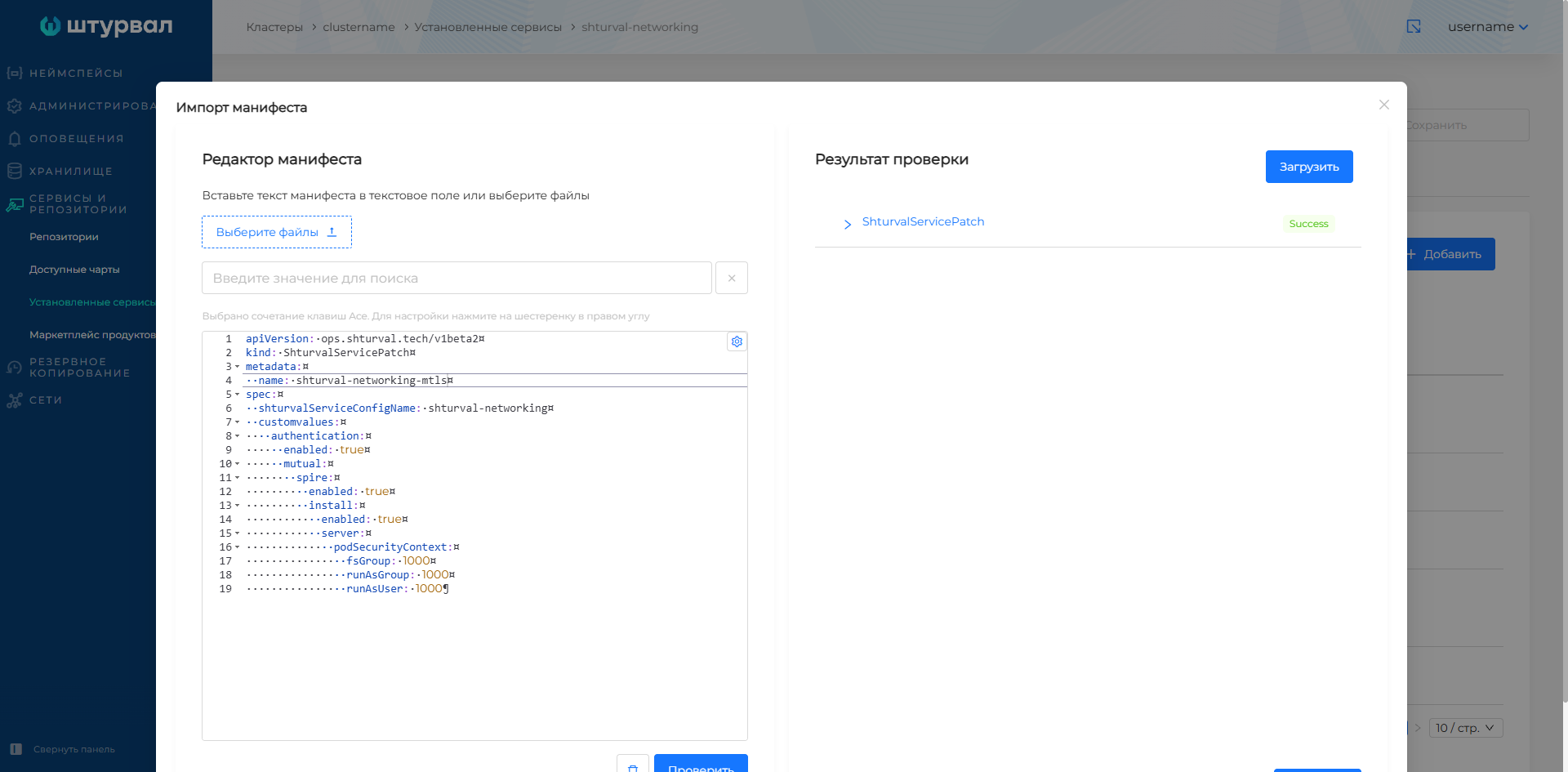
Create an SSP with the following parameters and upload it through importing manifests.
apiVersion: ops.shturval.tech/v1beta2
kind: ShturvalServicePatch
metadata:
  name: shturval-networking-mtls
spec:
  shturvalServiceConfigName: shturval-networking
  customvalues:
    authentication:
      enabled: true
      mutual:
        spire:
          enabled: true
          install:
            enabled: true
            server:
              podSecurityContext:
                fsGroup: 1000
                runAsGroup: 1000
                runAsUser: 1000
| Parameter | Description |
|---|---|
authentication.enabled | Enables the Cilium authentication subsystem. |
authentication.mutual.spire.enabled | Enables SPIRE for Cilium mutual authentication. |
authentication.mutual.spire.install.enabled | Installs SPIRE Server and SPIRE Agent with the module chart. |
authentication.mutual.spire.install.server.podSecurityContext.fsGroup | Sets the group ID that the SPIRE Server pod uses to access mounted volumes. |
authentication.mutual.spire.install.server.podSecurityContext.runAsGroup | Runs SPIRE Server container processes with primary group ID 1000. |
authentication.mutual.spire.install.server.podSecurityContext.runAsUser | Runs SPIRE Server container processes with user ID 1000. |
By default, SPIRE Server stores data on a persistent disk, so the data remains after the server pod restarts. If a persistent disk cannot be allocated, add authentication.mutual.spire.install.server.dataStorage.enabled: false to the same SSP. In this mode the data is stored only in pod memory. After the pod restarts, SPIRE Server loses the saved state and issues identities again.
Screenshot: importing the SSP to enable SPIRE
Step 2. Verify the SSP and SPIRE
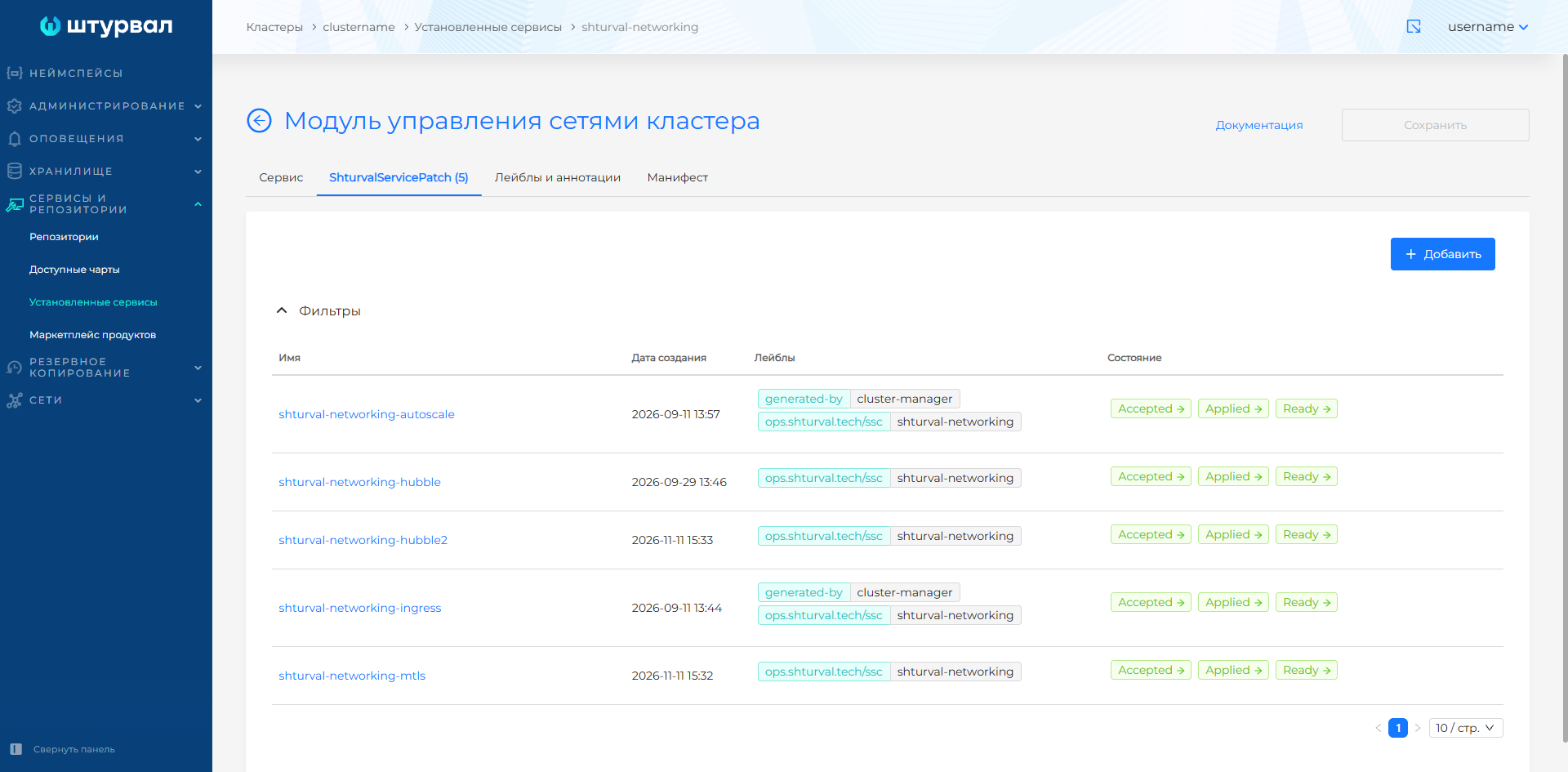
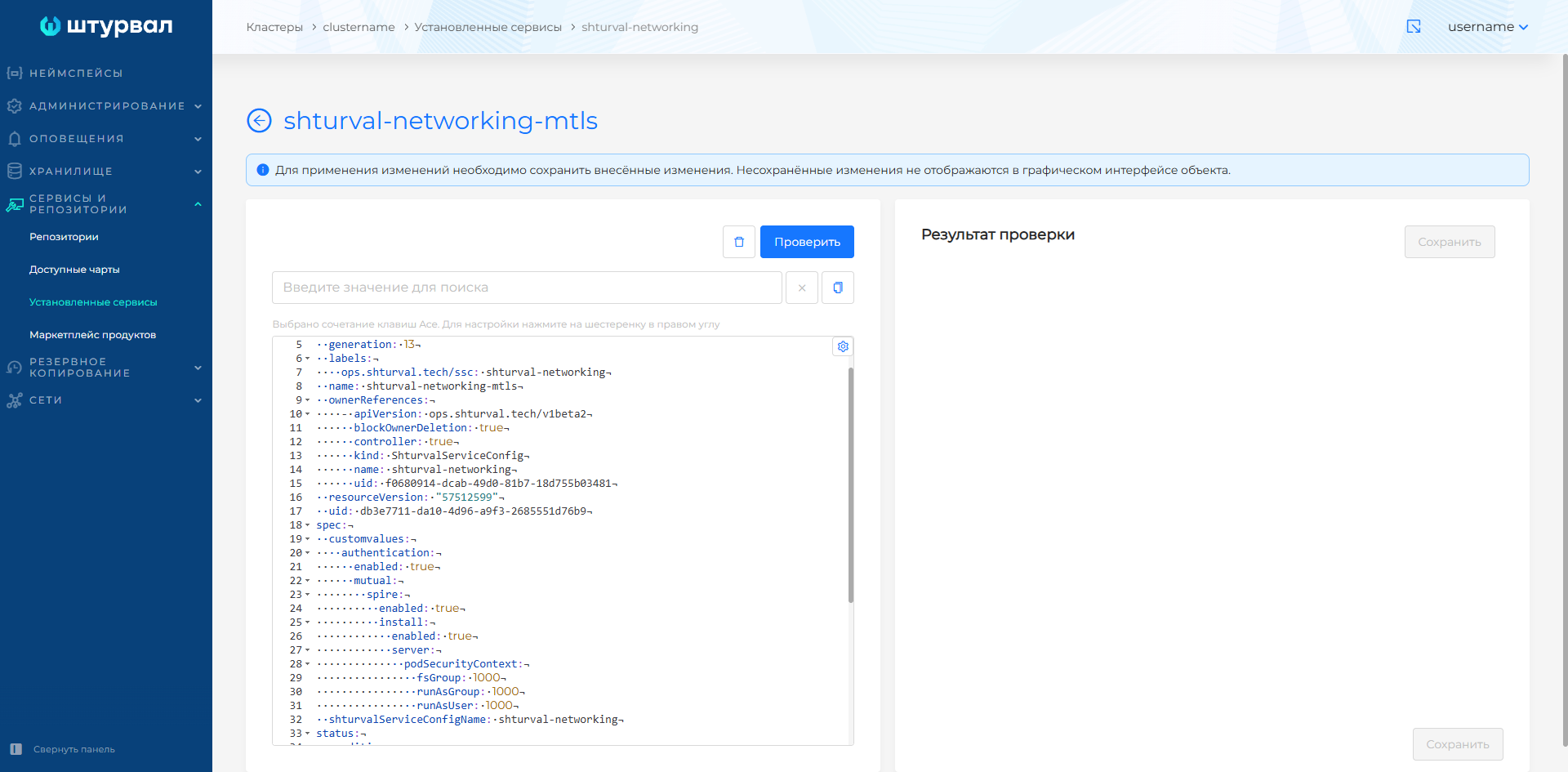
Open Services and Repositories → Installed Services, find the Cluster Network Management Module (shturval-networking), and open service management. On the Applied ShturvalServicePatch tab, shturval-networking-mtls is listed. On the Service tab, the status is Patched.
Screenshots: applied SSP
Check that namespace cilium-spire runs the StatefulSet pod spire-server and the DaemonSet pods spire-agent. The DaemonSet creates one agent on each suitable node.
kubectl get pods -n cilium-spire
kubectl exec -n cilium-spire spire-server-0 -c spire-server -- /opt/spire/bin/spire-server healthcheck
The response Server is healthy. confirms that SPIRE Server is running and ready to accept requests from agents.
Screenshot: checking the pods and SPIRE Server health

Check the list of attested SPIRE Agents:
kubectl exec -n cilium-spire spire-server-0 -c spire-server -- /opt/spire/bin/spire-server agent list
The output should list a separate agent for each node on which the spire-agent DaemonSet runs. Then check that delegated identities for Cilium Agent and Cilium Operator are registered in SPIRE:
kubectl exec -n cilium-spire spire-server-0 -c spire-server -- /opt/spire/bin/spire-server entry show -parentID spiffe://spiffe.cilium/ns/cilium-spire/sa/spire-agent
The output should include the SPIFFE IDs spiffe://spiffe.cilium/cilium-agent and spiffe://spiffe.cilium/cilium-operator.
The SPIFFE ID in the pod certificate has the form spiffe://spiffe.cilium/identity/<Cilium-identity>. The number at the end matches the name of the CiliumIdentity object assigned to the pod.
Step 3. Require mutual authentication in a network policy
Add authentication.mode: required to the ingress or egress rule that needs mutual authentication. The field is set on the rule, next to fromEndpoints or toEndpoints.
Apply mutual authentication to an actual service-to-service connection. For example, a pod that serves a static web page may not call the API: the browser receives the page through Ingress and then sends requests to the API itself. In that case there is no connection between the web UI pod and the API.
In the following example, the orders service calls the payments service in the same namespace. The policy allows ingress to pods labeled app: payments only from pods labeled app: orders, only on TCP port 8080, and only after mutual authentication.
apiVersion: cilium.io/v2
kind: CiliumNetworkPolicy
metadata:
  name: payments-mutual-auth
  namespace: app
spec:
  description: "Ingress to payments only from orders and only after mutual authentication"
  endpointSelector:
    matchLabels:
      app: payments
  ingress:
    - fromEndpoints:
        - matchLabels:
            app: orders
            io.kubernetes.pod.namespace: app
      authentication:
        mode: required
      toPorts:
        - ports:
            - port: "8080"
              protocol: TCP
An ingress section turns on default deny for incoming traffic to the selected pods: Cilium drops any flow that does not match an allow rule. See Default behavior.
How to verify
The HTTP status code does not show whether mutual authentication ran: an allowed request succeeds both with authentication.mode: required and without it. Check the result in Hubble UI as well.
The example creates two workloads in the namespace mtls-test: the pod pod-worker calls the echo service. First the policy allows only GET /headers without mutual authentication. Then authentication.mode: required is added to the same rule.
Before you add authentication.mode: required, make sure SPIRE Server returns Server is healthy., as described in Verification.
The echoserver and netshoot images are pulled from public registries. For a check in a closed circuit, replace them with images that are available: the server must accept HTTP requests on port 3000, and the client image must contain curl.
Step 1. Create test workloads
Create the namespace and the pods:
apiVersion: v1
kind: Namespace
metadata:
  name: mtls-test
---
apiVersion: v1
kind: Service
metadata:
  name: echo
  namespace: mtls-test
  labels:
    app: echo
spec:
  selector:
    app: echo
  ports:
    - name: http
      port: 3000
      targetPort: 3000
---
apiVersion: apps/v1
kind: Deployment
metadata:
  name: echo
  namespace: mtls-test
  labels:
    app: echo
spec:
  replicas: 1
  selector:
    matchLabels:
      app: echo
  template:
    metadata:
      labels:
        app: echo
    spec:
      containers:
        - name: echo
          image: gcr.io/k8s-staging-ingressconformance/echoserver:v20221109-7ee2f3e
          ports:
            - containerPort: 3000
---
apiVersion: v1
kind: Pod
metadata:
  name: pod-worker
  namespace: mtls-test
  labels:
    app: pod-worker
spec:
  containers:
    - name: netshoot
      image: nicolaka/netshoot:latest
      command: ["sleep", "infinite"]
Wait until both pods are Running:
kubectl -n mtls-test get pods
Step 2. Verify the SPIFFE identity
Check that a SPIFFE identity has been created for the echo workload. The following commands are intended for Bash:
IDENTITY_ID=$(kubectl -n mtls-test get cep -l app=echo -o=jsonpath='{.items[0].status.identity.id}')
echo $IDENTITY_ID
kubectl exec -n cilium-spire spire-server-0 -c spire-server -- /opt/spire/bin/spire-server entry show -spiffeID spiffe://spiffe.cilium/identity/$IDENTITY_ID
The echo command should print a numeric identity. The entry show output should display a SPIFFE ID with the same number and the cilium:mutual-auth selector.
To view all workload identities registered in SPIRE by Cilium Operator and match them with CiliumIdentity objects, run:
kubectl exec -n cilium-spire spire-server-0 -c spire-server -- /opt/spire/bin/spire-server entry show -selector cilium:mutual-auth
kubectl get ciliumidentities
The numbers at the end of the SPIFFE IDs should match the values in the NAME column of the CiliumIdentity objects.
Step 3. Apply the policy without mutual authentication
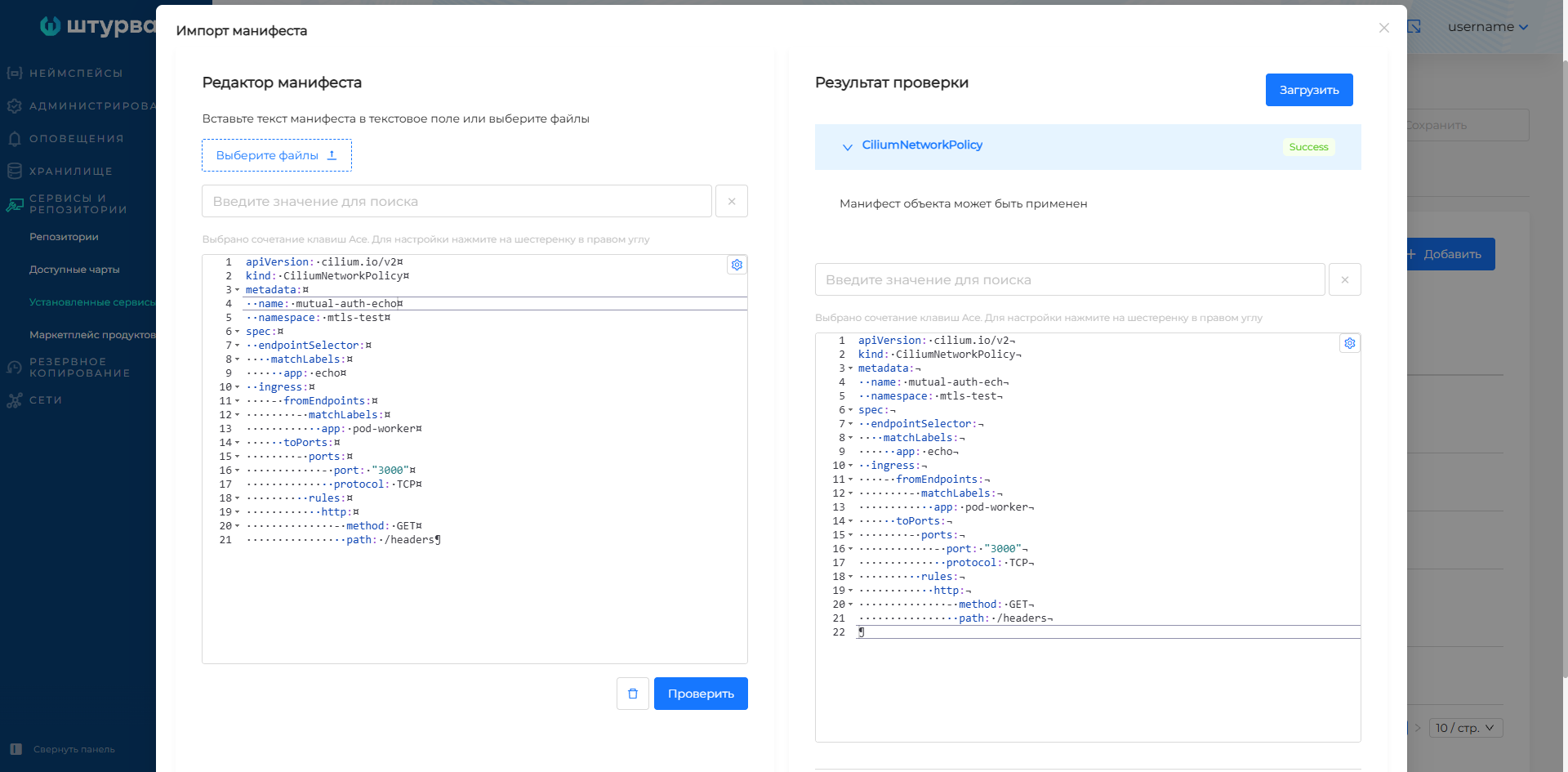
Apply the policy without mutual authentication. It allows the pod-worker pod to send only GET /headers to port 3000 of the echo service:
apiVersion: cilium.io/v2
kind: CiliumNetworkPolicy
metadata:
  name: mutual-auth-echo
  namespace: mtls-test
spec:
  endpointSelector:
    matchLabels:
      app: echo
  ingress:
    - fromEndpoints:
        - matchLabels:
            app: pod-worker
      toPorts:
        - ports:
            - port: "3000"
              protocol: TCP
          rules:
            http:
              - method: GET
                path: /headers
Screenshot: importing the policy without mutual authentication
kubectl -n mtls-test exec pod-worker -- curl -s -o /dev/null -w "%{http_code}\n" --max-time 10 http://echo:3000/headers
kubectl -n mtls-test exec pod-worker -- curl -s --max-time 10 http://echo:3000/headers-1
Screenshot: checking the policy L7 rule

The first command should print 200. The second request does not match the L7 rule, so Cilium blocks the call to /headers-1.
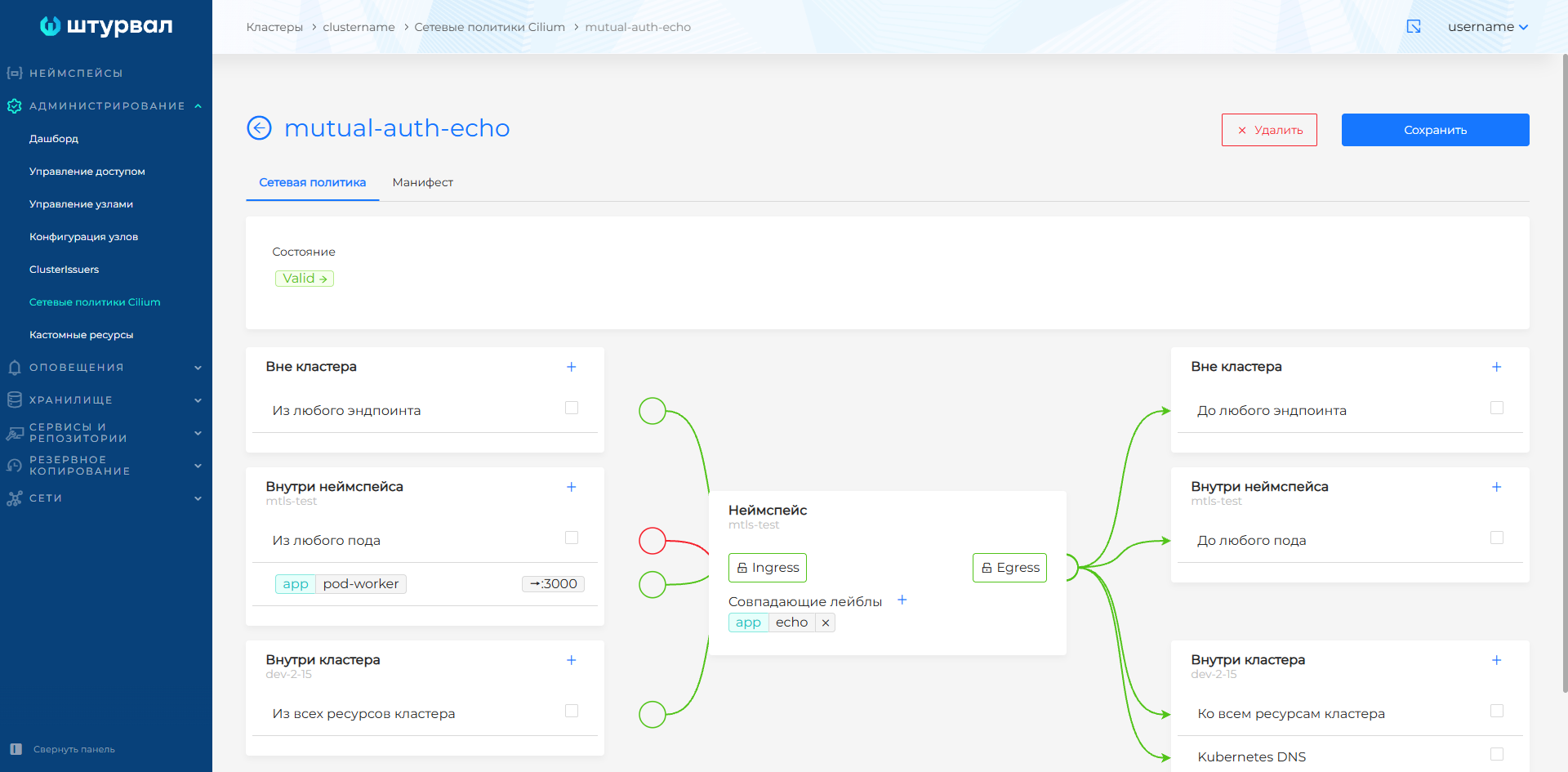
Step 4. Apply the policy with required mutual authentication
Replace the policy with the one that requires mutual authentication:
apiVersion: cilium.io/v2
kind: CiliumNetworkPolicy
metadata:
  name: mutual-auth-echo
  namespace: mtls-test
spec:
  endpointSelector:
    matchLabels:
      app: echo
  ingress:
    - fromEndpoints:
        - matchLabels:
            app: pod-worker
      authentication:
        mode: required
      toPorts:
        - ports:
            - port: "3000"
              protocol: TCP
          rules:
            http:
              - method: GET
                path: /headers
Screenshot: status of the policy with required mutual authentication
Step 5. Verify mutual authentication
Repeat the two check commands. The expected result does not change: the request to /headers returns 200, and the request to /headers-1 is blocked by the L7 rule. On the first call, Cilium may drop packets for a short time while the agents perform mutual authentication. If the first request timed out, run it again.
Open Hubble UI and filter flows by the namespace mtls-test. The connection first shows a packet drop with reason Authentication required, then an Authentication event with the value Spire. A 200 response together with the Spire event confirms that mutual authentication succeeded.
If Cilium uses the debug logging level, you can also check successful mutual authentication in the agent logs:
kubectl -n kube-system -c cilium-agent logs -l k8s-app=cilium --timestamps=true | grep "Policy is requiring authentication\|Validating Server SNI\|Validated certificate\|Successfully authenticated"
Screenshot: successful mutual authentication in Cilium logs

The Policy is requiring authentication message means that the policy required authentication. The Validated certificate and Successfully authenticated messages confirm that the certificate was validated and mutual authentication completed. If debug logging is disabled, these messages may be absent; in this case, check the result in Hubble UI.
Step 6. Delete test resources
Delete the test namespace together with the pods, Service, and policy created in it. The SSP shturval-networking-mtls stays in the cluster:
kubectl delete namespace mtls-test
The authentication field is supported only in Cilium policies. It is not available in the standard Kubernetes NetworkPolicy.